DBBasic Downloads for macOS and Linux
Porter — Universal Data Converter
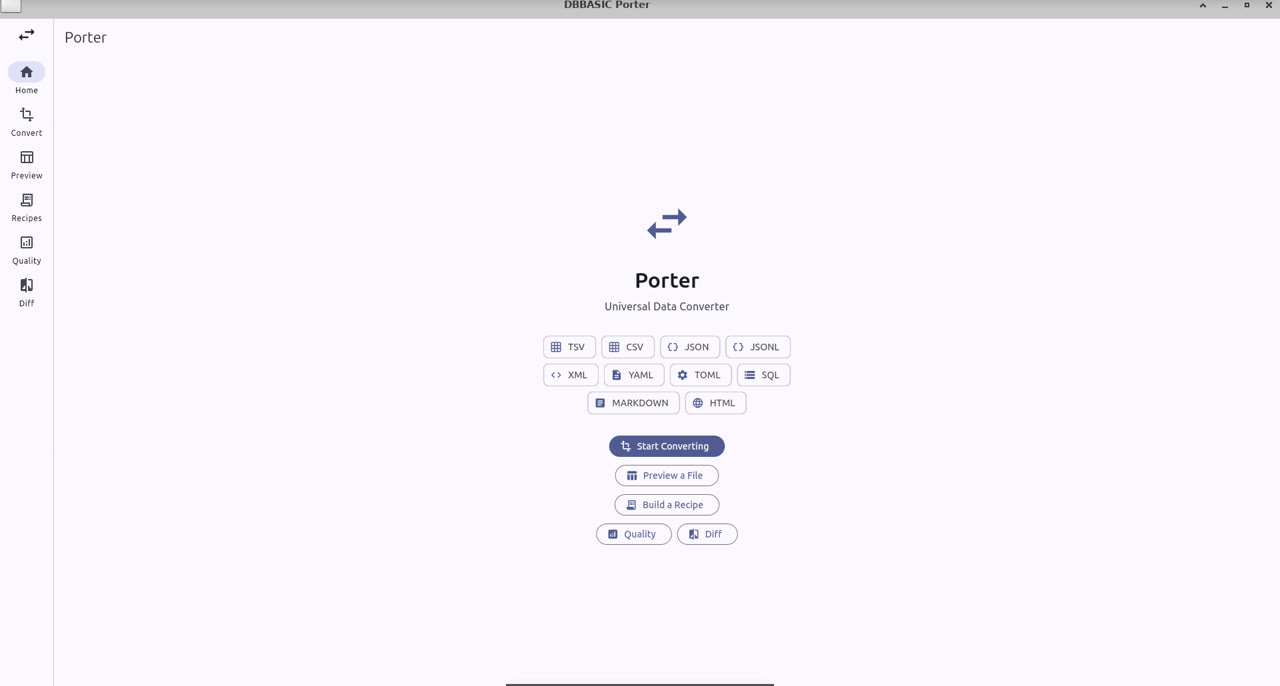
Stop wrestling with file formats.
- Convert between CSV, TSV, JSON, XML, YAML, TOML, SQL, HTML, Markdown, and more
- Preview any data file as a sortable, searchable table with type detection
- Transform — rename columns, filter rows, sort, split, merge, reformat dates
- Recipes — save transform pipelines as reusable YAML files
- Quality analysis — completeness, duplicates, mixed types, field validation
- Diff — compare two versions of a dataset
Download Porter for macOS (21MB, Apple silicon and Intel)
Download Porter for Linux (x86-64, 11MB) · new build, September 2026 · checksums
Free. No account required. Your data stays on your device.
DBBasic Draw
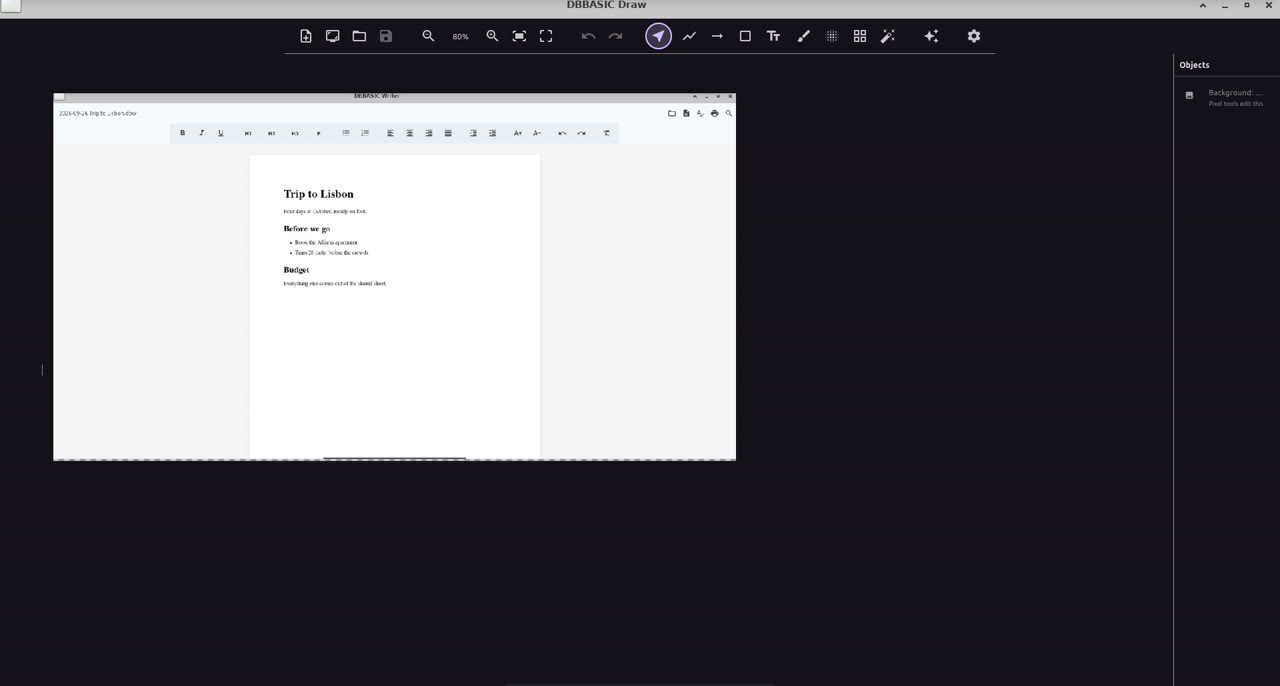
Image editor with AI generation
- Drawing tools — brush, shapes, text, selection, layers
- AI image generation — logos, illustrations, icons from text prompts (OpenAI)
- Screenshot capture — grab screen areas directly into the editor
- Clipboard — paste images in, copy canvas out
- Undo/redo with full history
- Costs ~$0.005 per AI-generated image
Download Draw for macOS (21MB, Apple silicon and Intel)
Download Draw for Linux (x86-64, 11MB) · new build, September 2026 · checksums
AI Generation (optional): Click the gear icon in the toolbar, paste your OpenAI API key, click Save. Get a key at platform.openai.com.
Webmaster — Visual Website Builder
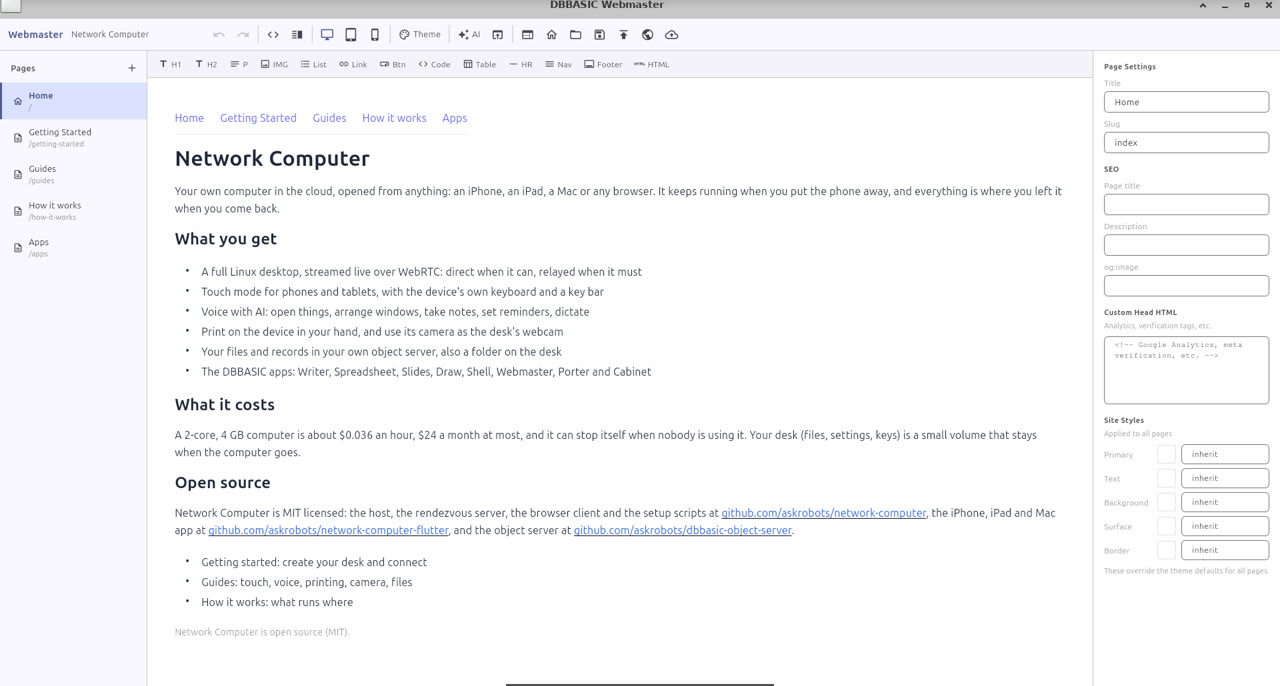
Build and publish websites. You're the webmaster.
- Visual editor — click anywhere and type. Headings, paragraphs, images, links, buttons, forms, tables
- Source view — split view with real-time HTML sync. Learn HTML by watching what your edits produce
- Visual CSS editor — style with sliders and color pickers, no CSS knowledge required
- 8 built-in themes, page templates, full site templates (small business, portfolio, restaurant, etc.)
- Forms that work — contact forms save submissions and email you. No backend code, no third-party service
- Deploy anywhere — export static HTML or SFTP deploy with one click
- Clean semantic HTML output — no frameworks, no div soup, under 2KB of CSS
Download Webmaster for macOS (21MB, Apple silicon and Intel)
Download Webmaster for Linux (x86-64, 11MB) · new build, September 2026 · checksums
The app is free. Hosting is ~$3/month on any shared PHP host. Your site is a folder of HTML files you own.
DBBasic Shell
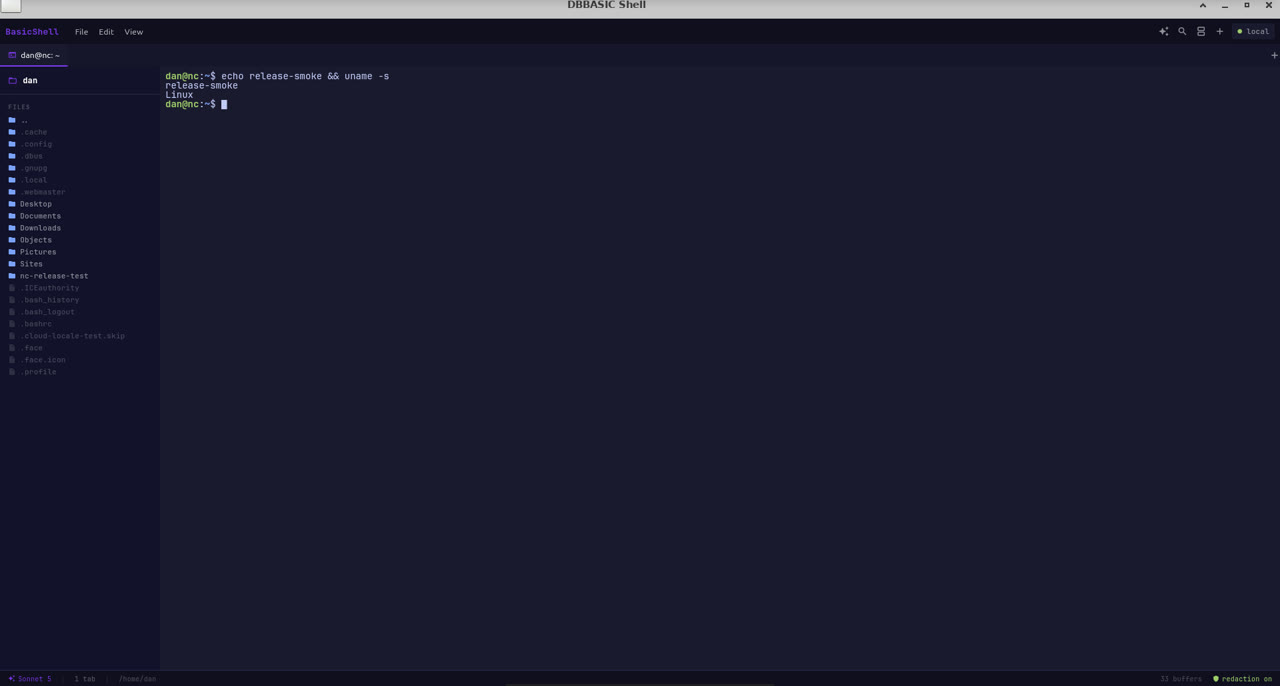
A radical reimagining of the terminal
- AI agent runtime — type
#to control your terminal with natural language - Tool-calling — AI opens panes, runs commands, reads files
- Searchable history — every command output captured, full-text searchable
- Secret redaction — blocks API keys, tokens, passwords from leaking
- Ghost text autocomplete from history + AI fallback
- Context-aware sidebar with git status and project detection
Download Shell for macOS (20MB, Apple silicon and Intel)
Download Shell for Linux (x86-64, 11MB) · new build, September 2026 · checksums
AI Features (optional): Shell works without AI. To turn AI on, put your key in the file every DBBasic app reads:
mkdir -p ~/.config/dbbasic
echo "ANTHROPIC_API_KEY=your-key-here" >> ~/.config/dbbasic/ai.env
chmod 600 ~/.config/dbbasic/ai.env
Get an API key at console.anthropic.com. Uses Claude Sonnet 5. The older ~/.basicshell/.env still works.
DBBasic Suite - Free Office Apps
New builds, September 26, 2026 (what’s new) | macOS 10.15+ (Apple silicon and Intel) and Linux (x86-64) | macOS checksums · Linux checksums
DBBasic Writer
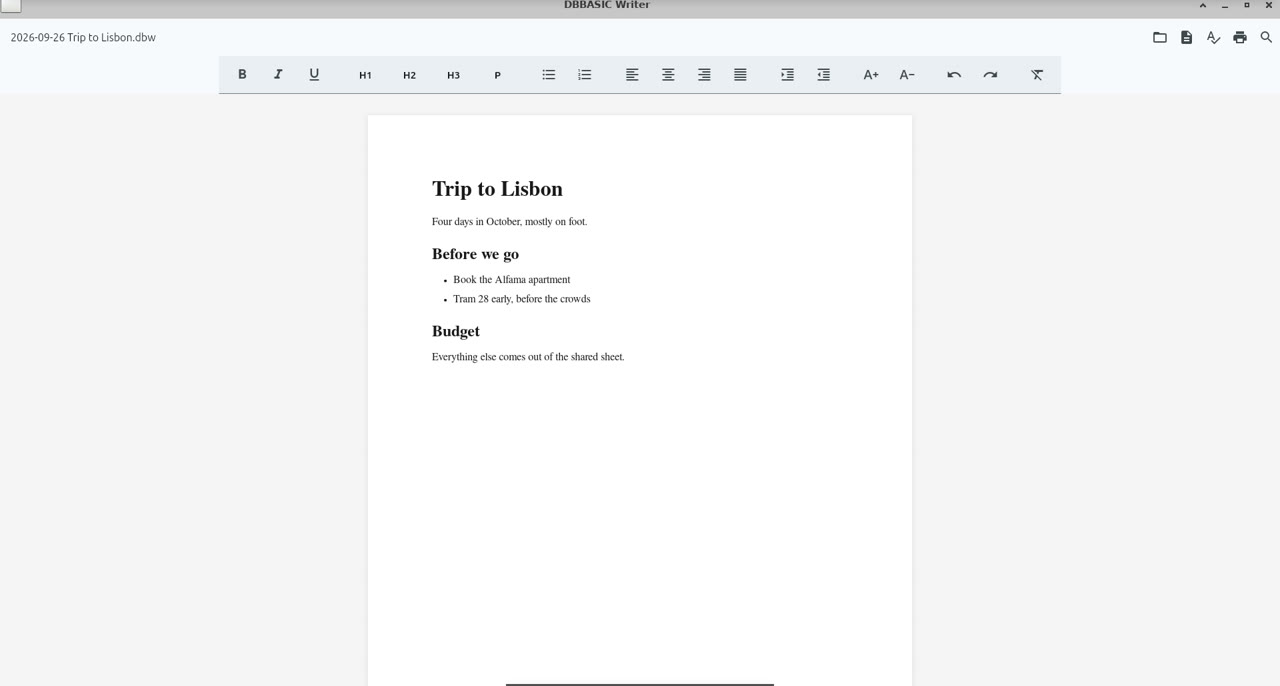
Word processor with templates and formatting
- Rich text formatting (bold, italic, underline, headings)
- Document templates (term paper, resume, business letter, report)
- Find/Find Next functionality
- Save/Open/Print support
- Portable HTML document format
Download Writer for macOS (22MB, Apple silicon and Intel)
Download Writer for Linux (x86-64, 11MB) · new build, September 2026 · checksums
DBBasic Spreadsheet
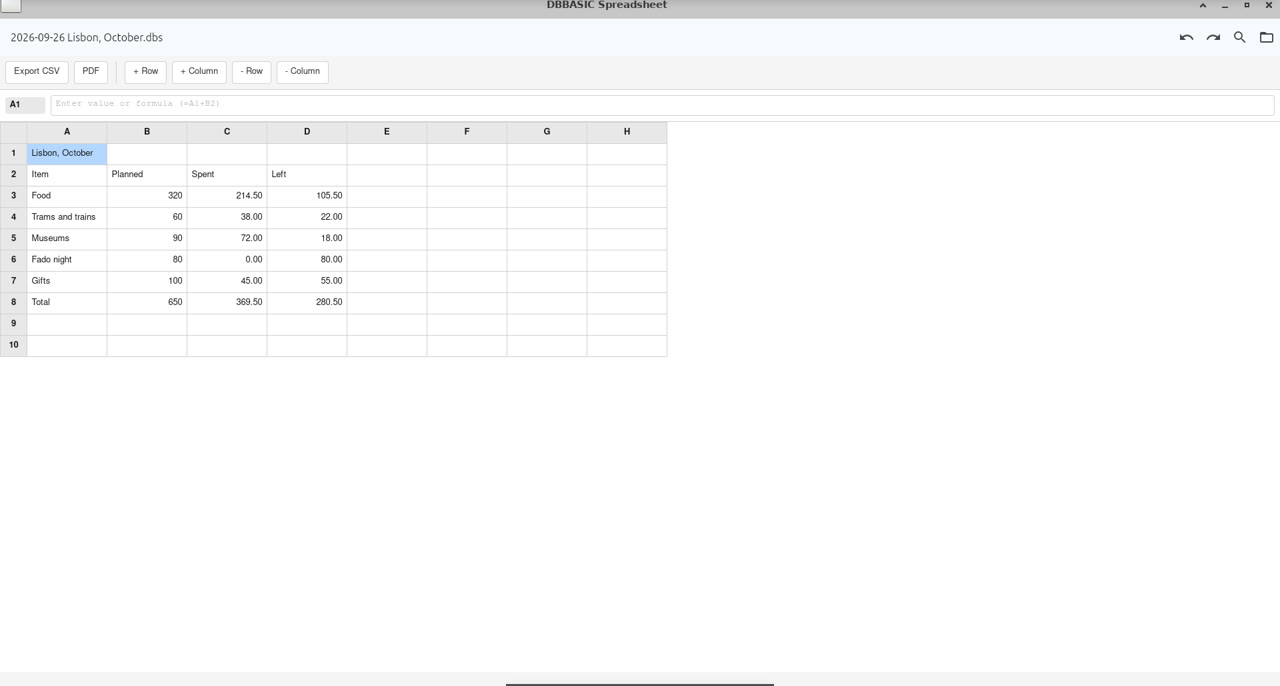
Spreadsheet with formulas and calculations
- Cell-based data entry and editing
- Formula support (SUM, AVERAGE, basic math)
- Range-based calculations (e.g., =SUM(A1:B10))
- Number formatting
- Save/Open/Print support
- Portable HTML document format
Download Spreadsheet for macOS (22MB, Apple silicon and Intel)
Download Spreadsheet for Linux (x86-64, 11MB) · new build, September 2026 · checksums
DBBasic Slides
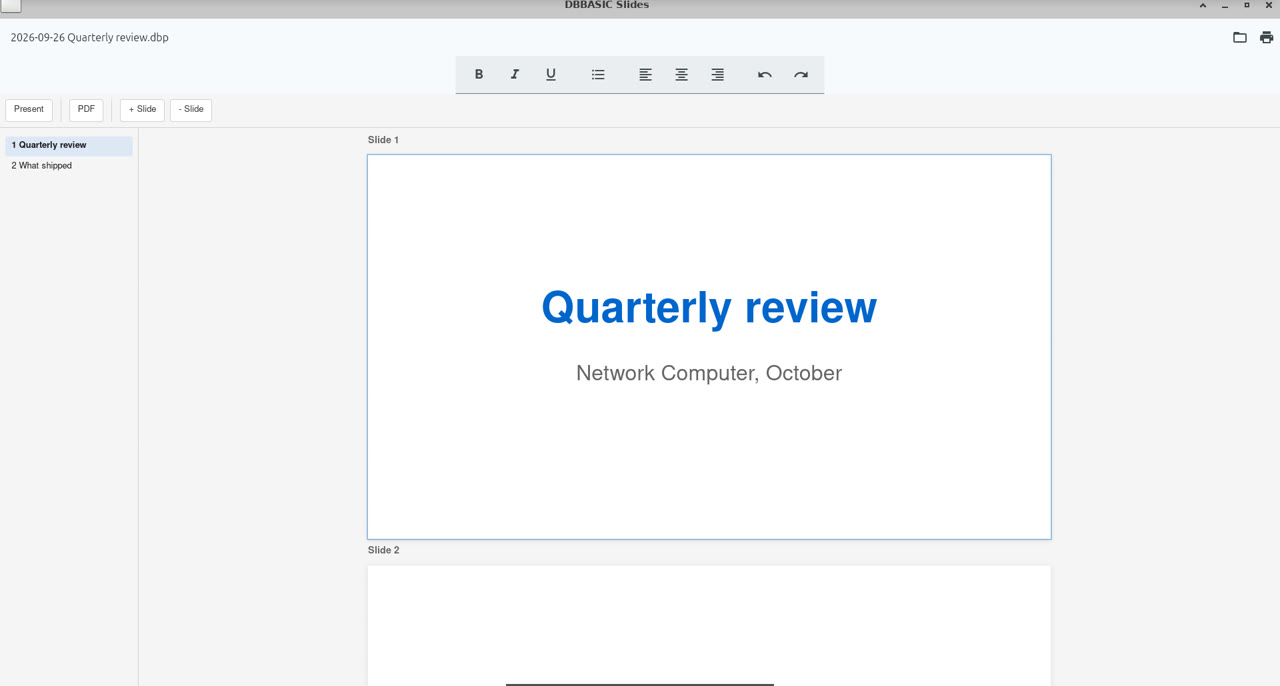
Presentation tool with edit and present modes
- Multi-slide presentations
- Edit and Present modes
- Text formatting (bold, italic, underline)
- Add/Delete slides
- Fullscreen presentation mode
- PDF export
- Portable HTML document format
Download Slides for macOS (21MB, Apple silicon and Intel)
Download Slides for Linux (x86-64, 10MB) · new build, September 2026 · checksums
DBBasic Cabinet
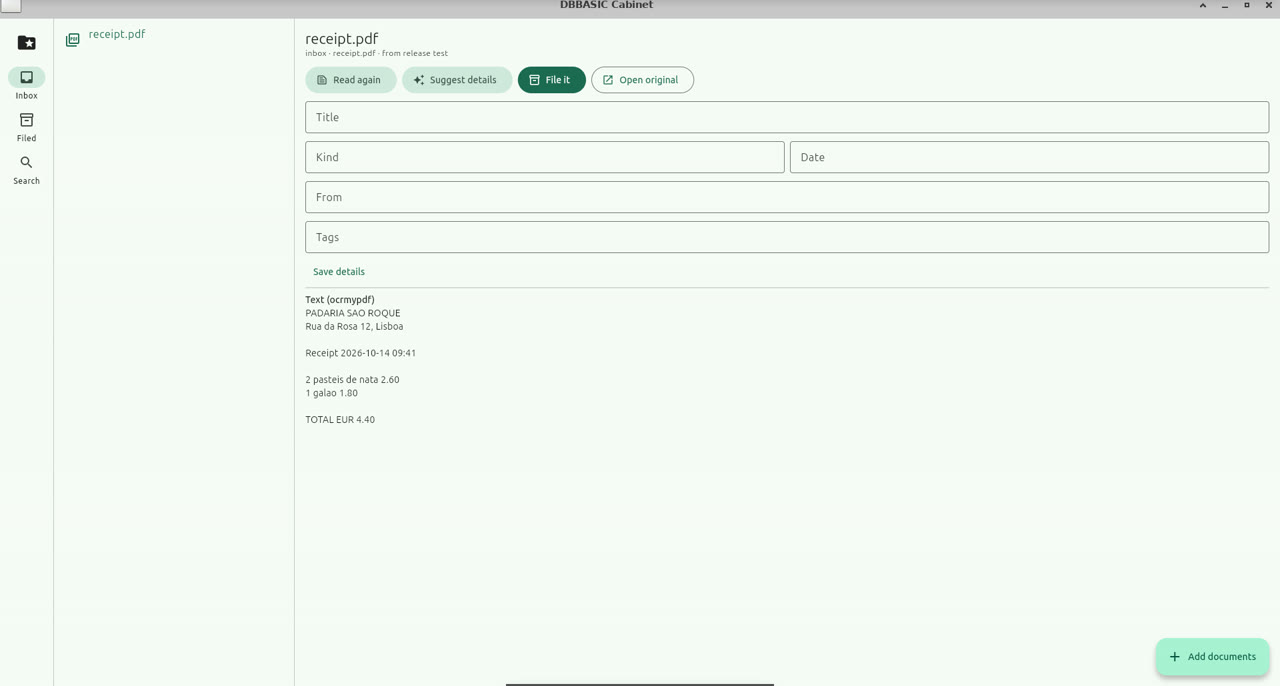
The paperless office: bring paper in, find it again.
- Bring in scans, phone photos and downloaded PDFs; the same page twice is kept once
- Reads the text: text PDFs directly, scans with OCR (Tesseract and ocrmypdf where installed)
- Suggests a title, date, sender and tags from the text with AI (optional, your own key); card and account numbers are masked first
- Files by year as plain files you can open without it: the original, its text, and a small details file
- Search across titles, senders, tags and every word of the text
Download Cabinet for macOS (19MB, Apple silicon and Intel)
Download Cabinet for Linux (x86-64, 11MB) · new build, September 2026 · checksums
Download Complete Suite
All eight apps in one download: Writer, Spreadsheet, Slides, Draw, Shell, Porter, Webmaster and Cabinet.
Download the suite for macOS (165MB, eight DMGs) · for Linux (84MB)
Installation Instructions
Step 1: Download
Click the download button for the app you want. The DMG file will download to your Downloads folder.
Step 2: Mount DMG
Double-click the downloaded DMG file to mount it. A window will open showing the app.
Step 3: Install
Drag the app to your Applications folder.
Step 4: First Launch
Important: Since these apps aren't yet notarized with Apple, macOS will block them on first launch. To fix this, open Terminal and run:
xattr -cr "/Applications/DBBasic Writer.app"
xattr -cr "/Applications/DBBasic Spreadsheet.app"
xattr -cr "/Applications/DBBasic Slides.app"
xattr -cr "/Applications/DBBasic Draw.app"
xattr -cr "/Applications/DBBasic Shell.app"
xattr -cr "/Applications/DBBasic Porter.app"
xattr -cr "/Applications/DBBasic Webmaster.app"
xattr -cr "/Applications/DBBasic Cabinet.app"
Or, without Terminal: right-click the app in Applications, choose Open, then Open again in the dialog.
This removes the quarantine flag that macOS adds to downloaded apps. You only need to do this once per app.
After that, you can open the app normally by double-clicking.
Why DBBasic Suite?
Free Forever
No subscription. No registration. No credit card. Download and use forever.
Portable Files
All documents are saved as HTML files. Open them in any browser, edit them with any tool, share them anywhere. No proprietary formats, no vendor lock-in.
Privacy-First
No cloud storage required. No telemetry. No tracking. Your documents stay on your computer.
Fast & Lightweight
Each app is only 20MB. Launches instantly. Uses minimal memory and CPU.
No Lock-In
Your data is yours. HTML files work everywhere and will be readable for decades. Unlike Microsoft Office's proprietary formats or Google Docs' cloud-only files, DBBasic files are truly portable.
System Requirements
- Operating System: macOS 10.15 (Catalina) or later
- Architecture: Apple Silicon (M1/M2/M3) or Intel
- Disk Space: 50MB per app
- Memory: 4GB RAM recommended
Linux: available now for x86-64 (each download is a folder: run the app inside). It needs GTK 3 (Ubuntu 22.04 or newer, Debian 12, Fedora 38 or newer); Writer, Spreadsheet and Slides also need WebKitGTK 4.1. The README in each download says more.
Windows: coming later.
How DBBasic Compares
| Feature | DBBasic (Free) | Microsoft 365 | Google Docs |
|---|---|---|---|
| Price | Free | $70/year | Free (ads) |
| File Format | HTML (open) | Proprietary | Cloud-only |
| Privacy | Local-first | Cloud-required | Cloud-required |
| Internet Required | No | Sometimes | Yes |
| Vendor Lock-in | None | High | High |
| Download Size | 20MB per app | 3GB+ | Browser-based |
| Data Ownership | You own it | Microsoft servers | Google servers |
Known Limitations
Writer
- No image insertion yet
- Limited table support
Spreadsheet
- Limited function library (SUM, AVERAGE only)
- No charts/graphs yet
- No multi-sheet support
Slides
- No image upload yet
- No slide templates
- No presenter notes
- No slide reordering (drag-and-drop)
Frequently Asked Questions
Is DBBasic really free?
Yes. Download and use forever, no strings attached.
Why aren't the apps code-signed?
Apple charges $99/year for code signing. We're keeping costs low to offer free apps. Once we have enough users, we'll get proper code signing to make installation easier.
Can I use these for my business?
Yes! DBBasic is free for both personal and commercial use.
Are my documents compatible with Microsoft Office?
DBBasic uses HTML files, not Microsoft formats. However, you can open your documents in any browser and copy/paste into Office if needed. We prioritize portability over compatibility.
Is there a Linux version? Windows?
Linux: yes, every app, for x86-64, next to each macOS download. Windows: later. The same apps also come installed on Network Computer, a desk in the cloud you open from any browser.
File Security & Checksums
Verify your downloads haven't been tampered with:
macOS checksums · Linux checksums
On macOS, in the folder you downloaded to:
shasum -a 256 DBBasic-Writer-2026.09.26-mac.dmg
On Linux, with the checksums file next to your downloads:
sha256sum --ignore-missing -c SHA256SUMS-linux.txt
Compare the output with the checksums file. (The older v1.0.0 downloads are listed in SHA256SUMS.txt.)
File Formats
DBBasic Suite uses HTML as its native file format for all documents.
Why HTML? - ✅ Future-proof - HTML files from 1995 still open today. Your files will be readable in 2050. - ✅ Universal - Open in any browser, on any platform, forever - ✅ Human-readable - Open in any text editor, use grep, version control with git - ✅ No lock-in - Files outlive the software. Never lose access to your data. - ✅ Portable - Smaller file sizes, work everywhere, email-friendly
Read Complete File Format Documentation →
License Terms
DBBasic Suite is free software provided under our End User License Agreement (EULA).
Key Points: - ✅ Free to use for personal, educational, and commercial purposes - ✅ No warranty - provided "as is" - ✅ Limited liability (capped at $50 USD) - ✅ Closed source / proprietary software - ✅ Jurisdiction: Harris County, Texas, USA
Read Full License Agreement | Read License Summary
By downloading and using the software, you agree to the license terms.
Support
- Questions? Contact us via dbbasic.com
- Bug reports: Email with details and steps to reproduce
- Feature requests: We're listening!